Quran Player Audio Offline
- 4.5
- Rating
- 500.00K
- Installs
- Free
- Price

 Analysis by App-foxy
I approached Quran Player Audio Offline as someone looking for a calm, practical way to listen to Quran recitation without depending on a constant connection. Its purpose is easy to understand: it is an Events-category app from Rydea GO. that focuses on Quran audio, offline playback, and clear recitation. After spending time with it, I found that its main appeal is not a long list of extras, but the simple path from opening the app to getting audio ready for a quiet moment.
That focus makes a difference. Many audio apps try to combine streaming, social features, recommendations, accounts, and large libraries into one experience. This app feels more useful when you treat it as a dedicated listening tool. I would recommend it to someone who wants Quran recitation available during a commute, while travelling, during a study break, or in a place where mobile data is unreliable. I would not choose it for someone expecting a broad religious reference library or a highly customizable audio platform.
What to expect when you open Quran Player Audio Offline
The first thing to understand is that this is an audio player rather than a general-purpose Quran study suite. The store’s short description is simply “Quran Player,” while its longer summary points to offline listening and high-quality, clear recitation. In practical terms, that means your attention should be on finding the passage you want, preparing it for listening, and returning to it when you are away from a connection.
You May Also Like

 Blood Strike: 2.5 Anniversary
Blood Strike’s Loadouts Turn Every Drop Into a Tactical Gamble
A close look at Blood Strike’s custom loadouts: how fast access to signature weapons reshapes its battle royale rhythm, rewards preparation, and narrows the gap between fights.

 Pandora - Music & Podcasts
Pandora’s Music Is Easy to Start, but Harder to Recover
Pandora’s strength is its low-effort path from a seed to a station. Its weak spot is how much confidence it asks you to place in connection, setup, and quiet recovery.

 8 Ball Pool
 Is Built on Rivalries, Rematches, and Routine
A close look at the rivalries, rematches, shared routines, and unanswered safety questions that turn a quick pool match into a persistent mobile community.

 Samsung Music
’s Quiet Strength Is Playing What You Already Own
Its reach comes less from spectacle than from dependable access to a personal library. That simplicity is both the app’s strongest retention engine and its ceiling.

 AccuWeather: Weather Radar
AccuWeather Review: A Quick, Clear Forecast for Everyday Decisions
For everyday plans, the best forecast is the one you can understand quickly. AccuWeather makes rain timing, radar, and local conditions easy to act on, with a few trade-offs.

 Hill Climb Racing
Why Hill Climb Racing Still Turns Crashes Into One More Run
A tiny car, a bumpy hill and one more upgrade: Hill Climb Racing keeps resurfacing because its simple chaos makes every near-miss feel personal.
More From Our News Desk



I like that the central idea is straightforward. A dedicated player can be less distracting than using a general music or video service, especially when the goal is quiet listening. You are not approaching it as an entertainment feed. The useful question is whether it helps you begin recitation quickly and reliably after the initial preparation.
The app is free to install, which makes trying it low-risk. It also carries an Everyone content rating, so it is presented as suitable for a broad audience. The current release is version 2.0, and the app requires Android 7.0 or later. That minimum requirement is helpful for people using an older Android phone, although iPhone users should check the relevant platform listing before deciding where to install it.
Its public reception is encouraging: Quran Player Audio Offline has a 4.4 average from around 5.9 thousand ratings and has passed 100 thousand installs. I would treat those figures as a sign that the basic experience works for many listeners, not as proof that every device or listening habit will feel identical. Audio apps are especially dependent on storage, headphones, speaker quality, and how carefully the user prepares offline content.
Who will get the most from it
I see the strongest fit for people who already know what they want to listen to and value dependable access. If you often leave home with limited data, travel through areas with weak reception, or prefer not to keep a streaming service open, the offline focus is meaningful. It can also suit a family device where the main purpose is listening rather than browsing unrelated content.
It is less convincing for someone who wants detailed translation tools, extensive explanations, multiple study modes, or a large collection of unrelated religious material. Those needs may be better served by a broader Quran application. Likewise, if you already have a trusted audio library downloaded in another player, moving to a separate app may not add enough value unless this one’s organization and recitation quality suit you better.
Why offline playback changes the routine
Offline audio is not only a travel feature. It changes when you can listen without first checking signal strength, data usage, or whether a page will load. I found that the most useful way to think about it is as preparation for repeated moments rather than as an emergency backup. Before leaving for the day, you can make sure the material you want is available, then listen later without turning the session into a technical task.
There is also a trade-off. Offline access usually requires some planning and local storage, so the first session may feel less immediate than opening a streaming service and pressing play. The reward comes afterward: once the audio is ready, the listening experience is less dependent on the network. That makes the app more valuable for routines than for random, last-minute browsing.
From installation to your first meaningful listening session
I start this section by focusing on the first useful decision: what you want your listening session to do for you, rather than trying to explore every option at once. That small bit of planning makes it easier to judge whether the app’s focused audio approach fits your routine, and it sets up the next step: preparing recitation before you leave a reliable connection.
Start with a simple goal
For a first-time user, I would not begin by trying to explore everything. Choose one realistic goal, such as preparing a short listening session for a commute or setting up recitation for an evening at home. A narrow goal makes it easier to notice whether the app’s main workflow is comfortable instead of judging it by features you may never use.
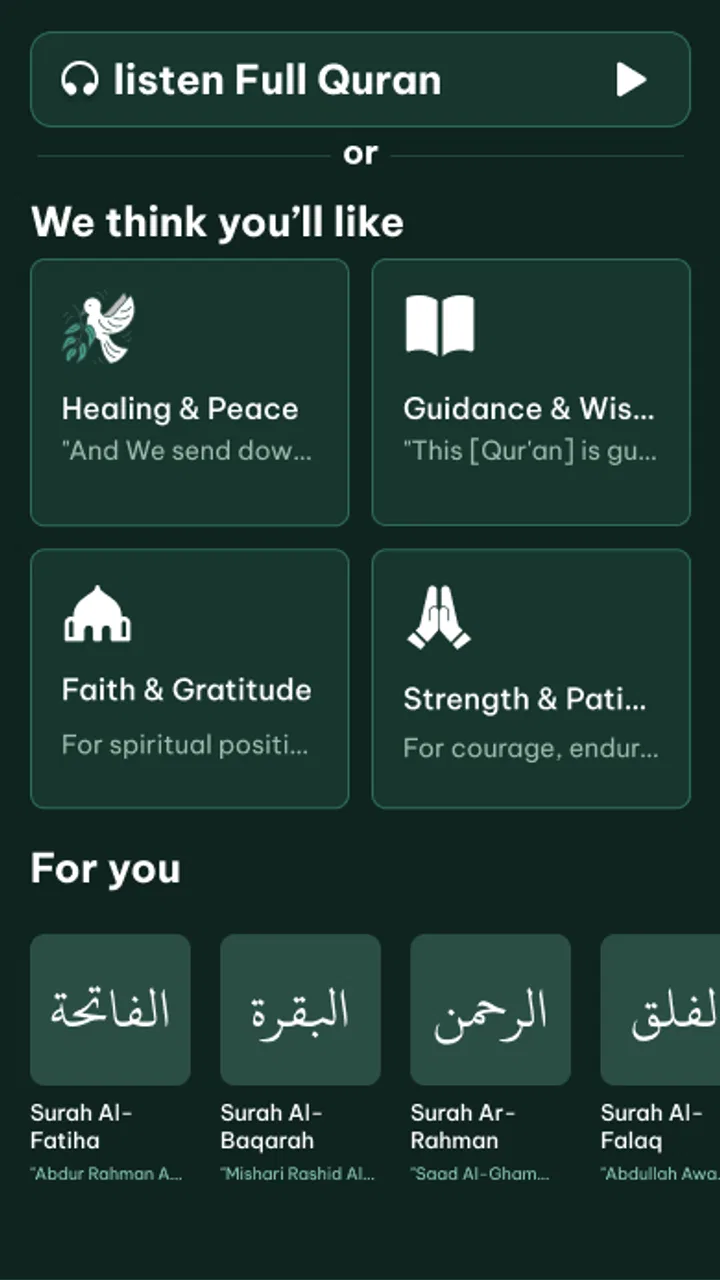
After installing it, give yourself a moment to identify the main listening area and the controls that matter most. Look for the way the app presents available Quran audio, how you select what to hear, and where offline playback fits into that process. The important early success is not changing every setting; it is reaching a point where you can start recitation without uncertainty.
Prepare before you leave a connection
The most useful habit with this app is preparation. While you have a reliable connection, select the recitation you want and make sure it is ready for offline use. Do not wait until you are already on a train, in a car park, or in a building with poor reception. If the app needs to obtain audio before it can play it offline, that step belongs at home or on a trusted network.
This is also where storage awareness matters. Audio files take space, so I would begin with only the portions you expect to hear regularly instead of attempting to prepare everything immediately. That approach keeps the first setup manageable and makes it easier to find the material you actually want. If you later decide that you need more, you can expand your offline collection gradually.
A practical workflow is to prepare one listening set for a specific part of your day. For example, you might choose material for a morning commute, test it once while still online, and then repeat the same session with connectivity disabled or unavailable. That test is more reassuring than assuming offline playback will work simply because the feature is advertised.
Your first successful action
The first meaningful success is hearing a clear recitation start and continue without needing to troubleshoot the connection. I recommend using headphones for this first check if you have them, because they make it easier to judge clarity and volume than a noisy room speaker. Once the audio begins, let it play for a while instead of stopping immediately; you want to confirm that the prepared content is genuinely usable for a complete listening period.
If you are using the app in a shared space, keep the volume modest and use the phone’s normal audio controls. If you are listening privately, check whether your chosen volume remains comfortable over time. Clear audio is valuable, but clarity does not mean the same volume suits every environment. I found that a short test before a longer session prevents small annoyances from interrupting the moment later.
One helpful routine is to keep the phone charged before a long offline session. This is not unique to Quran Player Audio Offline, but it is especially relevant when the phone is being used as a dedicated player away from a charger. Downloading or preparing audio can also be more demanding than simply reading text, so completing that work earlier is sensible.
What may confuse a new user
The word “offline” can create an unrealistic expectation that every part of the app will work without any preparation. I would interpret it more carefully: audio intended for offline listening needs to be available on the device first. If you open the app for the first time in a place without a connection, you may not have the same choices as you would at home. Preparing and testing content is therefore part of using the feature well, not an optional extra.
Another possible source of confusion is the difference between an audio player and a complete study tool. Listening clearly does not automatically mean you will find detailed commentary, translation, note-taking, or advanced learning aids. If those elements are essential to your routine, check the app’s actual workflow early and decide whether its focused design is enough for you.
Users may also wonder whether free means completely without optional charges. The app is free, but in-app purchases range from forty-nine cents to fifty dollars per item. That does not change the fact that installation costs nothing, but I would still pay attention to any purchase prompts and confirm what an item offers before approving it. A free starting point is useful; it should not be confused with an unlimited promise about every possible item inside the app.
Sound quality depends on the whole setup
The app emphasizes clear, high-quality recitation, and I found that the result is best judged with the equipment and surroundings you normally use. A phone speaker can be convenient, but it may not reveal the same detail as headphones. Conversely, excellent headphones will not solve a noisy environment or an overly high volume setting.
For a fair personal test, listen in two places: first somewhere quiet, then in the environment where you expect to use the app most. This helps separate the app’s audio presentation from the limitations of your surroundings. It also tells you whether offline listening is genuinely useful for your routine or merely attractive in theory.
Three practical habits that improve the experience
- Prepare a small offline collection first: start with the material you will actually hear this week, then add more only when the routine proves useful. This reduces storage pressure and avoids a crowded selection screen.
- Run a connection-free rehearsal: test your prepared audio before travelling. A short rehearsal can reveal whether you selected the right content and whether your phone’s audio setup is comfortable.
- Separate listening from study: use this app when you want uninterrupted recitation, and keep a broader reference app or printed resource nearby when you need translation, explanation, or detailed comparison.
These habits are small, but they address the real trade-offs of a focused offline player. The app becomes easier to trust when you treat it as part of a routine rather than expecting it to organize every aspect of Quran study by itself.
How it compares with familiar alternatives
The usual alternatives fall into two groups. The first is a streaming platform, which can offer immediate access but may depend on a stable connection, use mobile data, and surround the audio with unrelated recommendations. Quran Player Audio Offline is more appealing when you want a quieter, purpose-built path and are willing to prepare content beforehand.
The second group is a full Quran app that combines text, translations, bookmarks, commentary, prayer tools, and audio. Those apps can be better for study because they place more context around the recitation. Their drawback is that the experience may feel busier when you only want to listen. This app’s advantage is concentration; its limitation is that concentration comes from doing fewer things.
There is also the option of using downloaded audio files in a standard music player. That can be flexible, especially for people who already manage their own library, but it may not provide the same dedicated Quran-focused workflow. If you want a separate space for recitation rather than mixing it with music and podcasts, a specialized player is easier to keep mentally distinct.
Situations where I would skip it
I would skip this app if my main requirement were a rich educational environment rather than straightforward listening. I would also hesitate if I disliked preparing audio in advance or if I needed a service that worked equally well for spontaneous browsing while completely offline. The app’s strength depends on accepting its focused purpose and planning around it.
I would also compare alternatives carefully if I needed especially detailed control over study material, personal notes, or text presentation. Those are reasonable expectations from a comprehensive Quran application, but they are not the reason to choose this player. Selecting the right tool depends on whether your priority is recitation access or a wider set of religious resources.
My recommendation after using it
Rydea GO. has made a focused Android audio app for people who want Quran recitation available beyond the reach of a reliable connection. I appreciate the direct purpose, the free entry point, and the emphasis on clear playback. The experience is most satisfying when I prepare a modest amount of audio, test it once, and then let the app do one job without distractions.
My honest recommendation is to try it with a specific routine rather than installing it without a plan. Prepare one offline listening session, use it in the place where you normally need it, and decide whether the simplicity helps you stay present. If it does, the app can become a dependable part of your day. If you need study tools, extensive context, or instant access to a broad library without preparation, a more comprehensive alternative will probably serve you better.
Overall, Quran Player Audio Offline is a sensible choice for listeners who value offline Quran audio and a clear path to recitation. Its best quality is restraint: it does not need to compete with a full digital library when your immediate need is to listen. Just remember that the strongest results come from preparing content while connected, keeping your offline collection practical, and choosing it for focused listening rather than expecting an all-in-one study companion.
FAQs for Quran Player Audio Offline
01What is Quran Player Audio Offline?
Quran Player Audio Offline is a mobile application designed to provide users with easy access to Quranic recitations. The app allows users to listen to high-quality audio recitations without the need for an internet connection, making it convenient for those who wish to engage with the Quran on the go.
02How do I use Quran Player Audio Offline without an internet connection?
To use Quran Player Audio Offline without an internet connection, you need to first download the surahs or recitations while connected to Wi-Fi or mobile data. Once downloaded, these files are stored locally on your device, allowing you to listen to them anytime, anywhere, without needing an internet connection.
03What features does Quran Player Audio Offline offer?
Quran Player Audio Offline offers a range of features including multiple reciter options, customizable playback speed, and an easy-to-navigate interface. Users can bookmark their favorite surahs, create playlists, and repeat certain verses for memorization purposes. The app is designed to enhance the user's listening and learning experience.
04Is Quran Player Audio Offline suitable for all devices?
Quran Player Audio Offline is available for both Android and iOS platforms, ensuring compatibility with a wide range of devices. It is optimized to work smoothly on smartphones and tablets, providing a consistent and user-friendly experience across different screen sizes and operating systems.
05Are there any costs associated with using Quran Player Audio Offline?
Quran Player Audio Offline is typically free to download, but some features or recitations may require in-app purchases or a subscription. These premium options often provide access to additional content or features. Always check the app's page on the Google Play Store or Apple App Store for the latest pricing information.
Pros
- Offline access to all audio content.
- User-friendly and intuitive interface.
- High-quality audio playback.
- Bookmark and resume features available.
- Supports multiple languages.
Cons
- Limited customization options.
- Ads in the free version.
- No dark mode available.
- Large app size may affect storage.
- Occasional audio sync issues.

Quran Player Audio Offline
Gallery